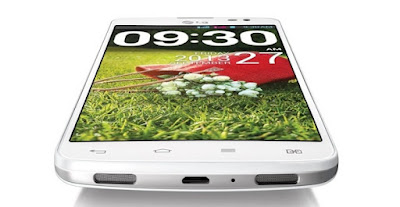
With this easy method you can easily flash your kdz file to your lg gpro & make your mobile more faster.
first you need to install lg driver in your pc, you can get from here >
Click Here
After you need to install Lg Flash Tool , you can get from here >
Click Here
You can get rom for your lg model from here >
Click Here
You can flash your lg 240L , S , K , e988 , 985. Using this method you can flash any lg mobile but you just have to download rom for your desire lg model.
Steps For Flashing .kdz pc & lg
1. Open Lg flash tool.exe on PC, and Turn off your Phone then enter into download mode every device has different method of entering into download mode you better search your model about entering into download mode usually you can enter into download mode by “press and hold the Volume Up +Volume Down and insert (plug in the) USB cable to your device.” OR “press and hold the Volume Up and insert (plug in the) USB cable to your device.” Wait until the Download Mode appeared on phone see screen shots.
2. Now on PC select KDZ file to flash and select normal flash or CSE Flash.(See screen shot ) leave other options un touch.
Normal Flash: Flash ROM without losing any data. Only use this when you need to fix system error. Beware of boot loop when flashing ROM that differ from current ROM on your phone or MOD ROM.
CSE Flash: Choose this option when you need a fresh format. All data will be gone. It’s suitable for upgrading or downgrading ROM or simply use this when you need to back to Stock.
3. Select start on next screen
4. Select ok on next screen leave options untouch
5. Now on next screen software upgrade will be started wait until it reaches 100 %. After flash Phone may take some time to Boot so be patient.
you phone will automatically restart and start the next steps on your cell phone automatically. now you are using lollipop 5.0.1 :)


